Take-home point: I think wireless lapel/lavalier mics are an outstanding solution for radiology.
Context
Longtime readers—or those who have perused my previous posts on radiology equipment—may recall that my solution for hands-free dictation over the past several years was a shotgun microphone at home (like this or this mounted to my monitor and pointed at my face) and then a cheap desk clamp to hold the PowerMic when at the hospital or outpatient centers (seamlessly enabled by AutoHotkey).
These are still great solutions. My old home desk setup was awesome, and I still mostly use the desk clamp solution on-site instead of dealing with the hassle of unplugging a PowerMic to plug my own microphone in (and then undoing that at the end of the day), given that I work at different locations every day. If I were always in the same place, I would definitely switch things up and bring my own.
I recently wrote an article about foldable treadmills, because I redid my office and now have a standing desk for the first time. As a result of this new setup, I am increasingly speaking at varying distances from my computer, which leads to decreases in accuracy when using a fixed microphone solution.
A lav mic clipped to my collar that is always equidistant from my mouth is a much more flexible dictation solution to accommodate that variable distance while standing, sitting, walking, sitting further away with my keyboard tray extended, versus sitting closer using the top of my desk. I use all these different ways of working, and a lapel mic lets me do all that seamlessly. Many reasonably priced models also include optional noise cancellation, which may help with things like treadmill noise, HVAC, fans, space heaters, and the fact that maybe your laundry room is just a few feet away (I need to test this across models more to be sure).
Over the years, I’ve tried a variety of microphone form factors and price points, including crappy wired USB headsets, wireless bone-conduction headsets, and a whole bunch of dynamic, condenser, shotgun, and lav varieties.
Years ago, when I first began the journey of changing the mechanics of how I practice radiology, basically every wireless solution was terrible. The lag/latency was intolerable, and the accuracy hit was often substantial.
That has changed. Over the past few years, technology has improved so much that small wireless lapel mics are now cheap enough and good enough to function just fine for our purposes. There are literally dozens of options.
I will say that I do think there is still a small latency and accuracy hit with these over a wired solution (and accuracy on the treadmill is unsurprisingly a bit worse than rigid working), but they’re manageable overall and I believe worth it for the convenience.
The Devices
Basically, everything you’ll find comes with a receiver that can plug into the USB-C port of your computer and two transmitters, which are the actual microphones that you can clip to your shirt.
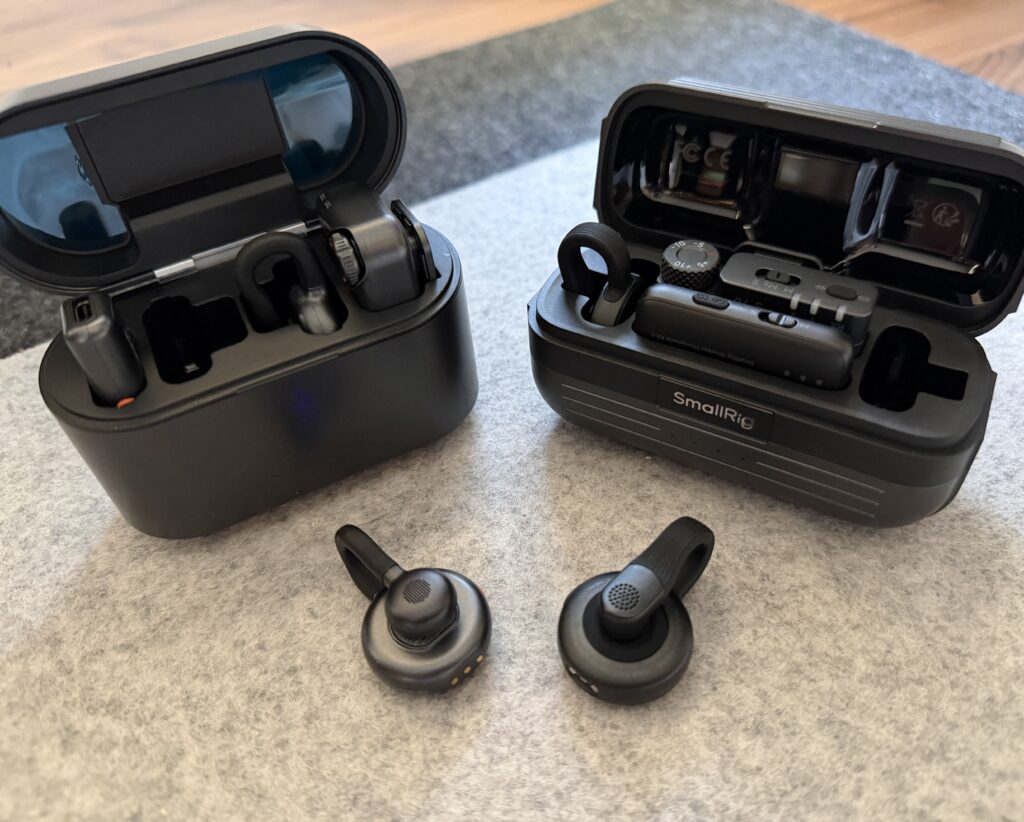
I’ve been happily using the Hollyland Lark M2S for months, which I purchased for about $150 a year ago. Thanks to competition, prices have come down.
Now, for around $80-100, you can buy either the Hollyland Lark M2S or the SMALLRIG Wireless Mic S70, both of which work just fine for radiology and are nearly identical. Both use a well-made springy titanium clip hook system that easily clips to your collar and weighs almost nothing. Both include a USB-C receiver dongle for phones that also works in a computer (but if you use the slightly larger receiver via USB, there are a few more controls available to you, like setting the gain levels). The build quality of these is excellent. The SmallRig just came out. Its battery life is reported at 1 hour shorter, but the charging case has a bigger battery itself and contains more total hours of audio time. The SmallRig phone app has some additional audio settings in the app, including a limiter to prevent clipping and slightly better (less-distorting) noise cancelling. It seems like whatever settings you use in the app stay active when using the device elsewhere.
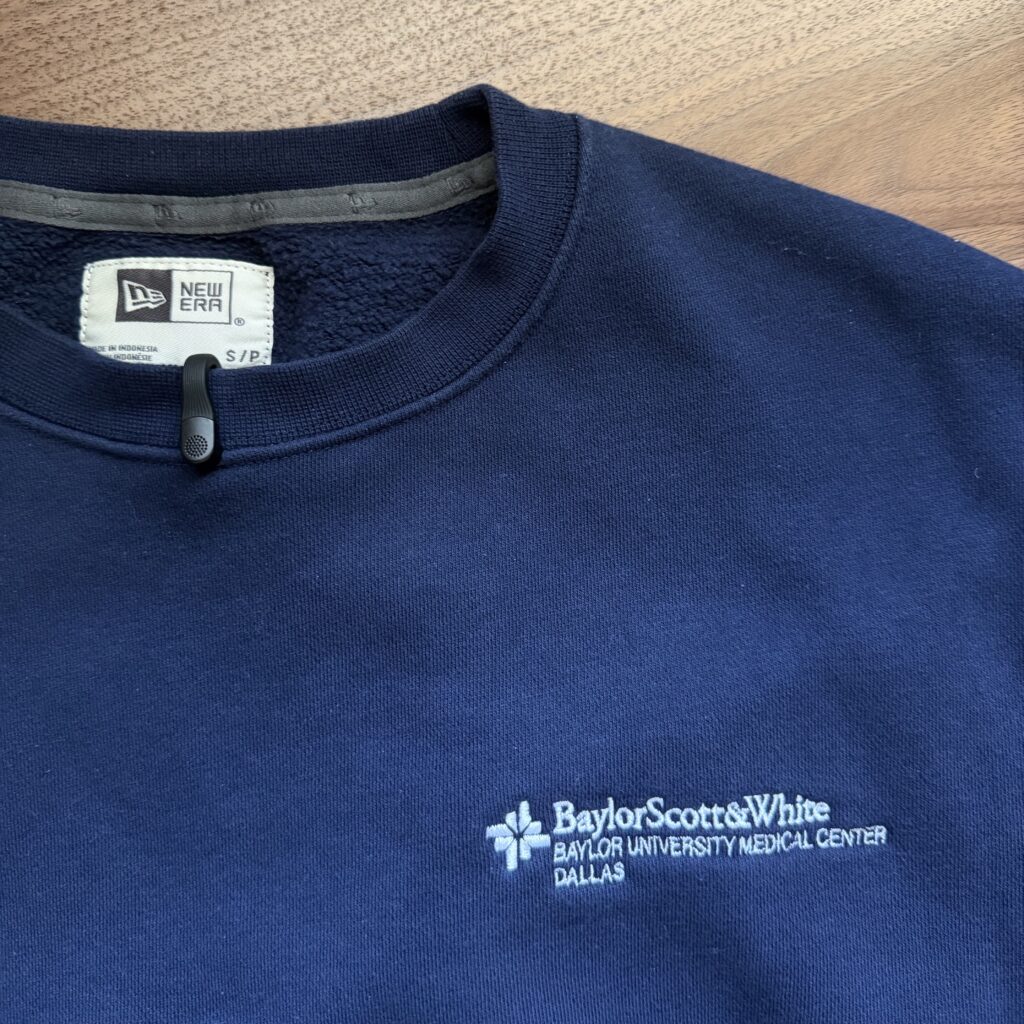
In a similar price range, you can also try the DJI Mic Mini or RØDE Wireless Micro. DJI Mic Mini may actually have the best sound quality, and it has the longest stated battery range, but I don’t like the clip/transmitter design itself; it’s a small square with a tiny clip, sorta hard to clip on, and it’s heavy enough to pull annoyingly at the edge of lightweight clothing. It feels better clipped to something thicker like a fleece. It’s also a totally usable solution and works well overall, but I really prefer the form factor of the M2S and S70.
For budget options, both the Hollyland Lark A1 and the BOYA Mini 2 are $40 or less. These only come with a USB-C phone receiver, so you may need to adjust the settings in the app on your phone in order for them to work as needed on your computer. With default gain settings, it seems like most of these are too quiet for Powerscribe and will fail audio setup. The Lark A1 uses a magnetic back to attach to your shirt instead of a clip, which some people may prefer (similar to the pricier and beloved Lark M2, which currently retails for just $76). The BOYA’s clip is weak and plasticky. I think the upgrades are worth it for build quality and battery life.
There are a variety of more expensive”pro” options costing $200+ (like the Hollyland Lark Max 2, Rode Wireless Pro, etc) that for our dictation purposes are unnecessary. Most include features like 32-bit float, on-device recording, and others that could be helpful if you’re a content creator but are certainly not needed for transcription. Some like those from RØDE are larger and very uncomfortable clipped to most clothingl they are often used clipped to your waistband with a separate lightweight lav mic plugged into that, which would just be an annoying headache for our amateur needs.
Pairing
All of these are designed well so that they pair automatically with the receiver when in use. Since these transmit to their respective receiver over 2.4GHz, there are no Bluetooth menus to configure on each computer or any other nonsense. They are functionally plug-and-play. While 2.4 GHz is a busy spectrum, I haven’t had any transmission issues.
Battery Life
All current varieties come in charging cases like the phenomenal AirPods Pro that I use every day of my life (seriously, what a great product). Dropping the transmitters back into the case will automatically begin charging them to full.
In general, the battery life of these devices is such that you can get through at least close to a whole shift if not a whole shift on a single charge for a single transmitter. If you charge it during a lunch break, definitely. But they all come with two, and having two is important so that you can swap between them if the battery dies so you’re not left unable to dictate.
Swapping between transmitters is so fast that I don’t think it’s a huge deal since two fully charged transmitters will get through basically anything. The stated battery life for the M2S is 9 hours, the SmallRig S70 is 8 hours, and DJI Mic Mini is 11 hours. The budget Boya is at 6 hours, and I don’t think I got even that long.
The batteries inside are tiny and not user-replaceable. Battery life will inevitably get worse and worse over time the more they are used. If you use them every day, I don’t know how many years the batteries will last, but given that the average shift is somewhere between 8 and 12 hours, it’ll take significant degradation before they can’t handle that.
At home, what I’ve done is just keep the charging case plugged into USB at all times and drop the transmitters back into the case whenever I’m done, so they’re always fully charged for a day of work. And yes, I’m using one set for home and another for work (I also have two Contour Shuttles, it’s so much more convenient to have different home/travel setups!)
In short, I do think there is plenty of room for worsening battery performance before two transmitters are insufficient to cover a full workday even while traveling. If you keep the charging case plugged in and swap the transmitters as needed and try to use them both evenly, I think the durability will be impressive.
Final Take Home
Wireless lav mics have come a long way and are a super convenient dictation solution for hands-free radiology. Of the dozens of varieties, I think the Hollyland Lark M2S or the SMALLRIG Wireless Mic S70 are in the sweet spot, and both cost less than a hundred bucks.
One Comment